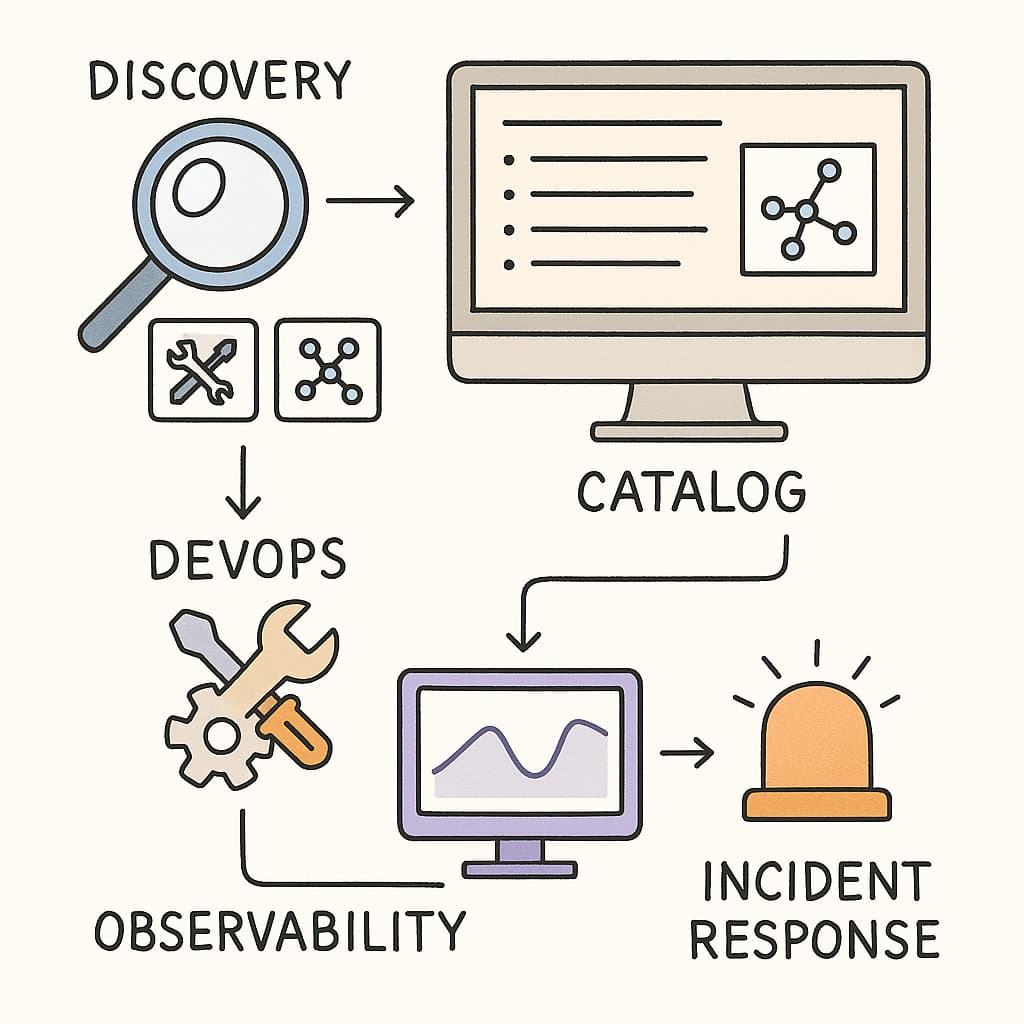
Managing today’s IT environments can feel overwhelming — there are so many apps, services, and tools running across different teams. That’s where a software catalog comes in. Think of it as a directory or map of all the software in your company, showing who owns what, how it’s connected, and whether it’s up to date.
Let’s break it down step-by-step.
 1. What Is a Software Catalog?
A software catalog is a central place that lists all the software your organization uses — including applications, microservices, libraries, and APIs.
It helps teams see everything in one place, know who owns each service, and track versions, licenses, and dependencies.
In short:
 It’s like your company’s “phonebook” for software.
 2. Key Features
Here’s what a good software catalog includes:
- Service registry: A complete list of internal apps, services, and APIs.
- Ownership info: Who’s responsible for each service.
- Dependency map: Shows how services connect or depend on one another.
- Version tracking: Keeps track of updates and deprecated components.
- Compliance & security rules: Ensures everything follows company policies.
- Integration with monitoring tools: Connects with systems like Datadog to display live service health.
 3. How It Works
The catalog automatically collects metadata — information about your software — from existing tools, APIs, and infrastructure.
It then organizes that data in one central repository, allowing you to:
- Search for services easily
- Filter by team, owner, or version
- Generate reports
- Get alerts about outdated or risky components
In simple terms: it’s like a constantly updated inventory of all your digital “stuff.”
 4. Software Catalog vs. CMDB
People often confuse a Software Catalog with a Configuration Management Database (CMDB) — but they’re not the same.
| Feature | Software Catalog | CMDB |
|---|---|---|
| Focus | Apps, services, APIs | Hardware, software, people, networks |
| Used by | Developers & DevOps | IT operations & service management |
| Goal | Visibility & ownership in software lifecycle | Manage infrastructure configurations |
| Example use | See which team owns an API | Track which server runs which app |
Both are useful, but the software catalog is more DevOps-oriented, while CMDB is more ITIL/operations-oriented.
 5. Why Use a Software Catalog?
Here are the main benefits:
- Faster incident response: Quickly see who owns a broken service.
- Better compliance: Track licenses, security rules, and approvals.
- Reduced duplication: Avoid teams building the same thing twice.
- Easier onboarding: New hires can see what tools and systems exist.
- Smarter development: Understand dependencies before making changes.
 6. DevOps Integration
A software catalog fits naturally into the DevOps ecosystem.
It connects to CI/CD pipelines, observability tools, and incident systems, helping teams:
- Find runbooks and repositories instantly
- See dependency impacts during outages
- Get real-time alerts and ownership data
- Improve collaboration between developers and ops
In other words, it turns chaos into clarity.
 7. Common Challenges
Implementing a software catalog isn’t just plug-and-play. Teams often face:
- Data accuracy issues — outdated metadata can cause confusion.
- Low adoption — developers might forget to update info.
- Integration complexity — connecting many tools takes effort.
- Governance gaps — unclear policies for ownership or lifecycle.
- Scalability concerns — large enterprises have thousands of services.
The key to success? Automation + team buy-in.
 8. Why Software Catalogs Are Growing Fast
Several industry trends are driving adoption:
- Microservices explosion: Too many services to track manually.
- Developer experience: Teams want simple visibility and less mental load.
- Security & compliance pressure: Regulations demand traceability.
- AI & automation: Tools now discover and map dependencies automatically.
 Summary
A software catalog gives your organization a single source of truth for everything it builds and runs.
It bridges the gap between DevOps, security, and management by improving visibility, accountability, and control.
If your teams struggle to answer:
“Who owns this service?”
“What depends on this app?”
“Is this tool still supported?”
Then a software catalog might be exactly what you need.