Most engineers know the QCI numbers, but few understand what they actually mean on a real LTE network.
Here’s a simple, table-free way to look at QCIs — keeping icons and normal bold as requested.
 First: QCIs = Behavior Profiles
Each QCI defines how the network treats the traffic, based on:
• Priority
• Packet Delay Budget (PDB)
• Packet Loss Rate (PLR)
• Scheduling behavior
• GBR / Non-GBR
Think of them as “traffic personalities.”
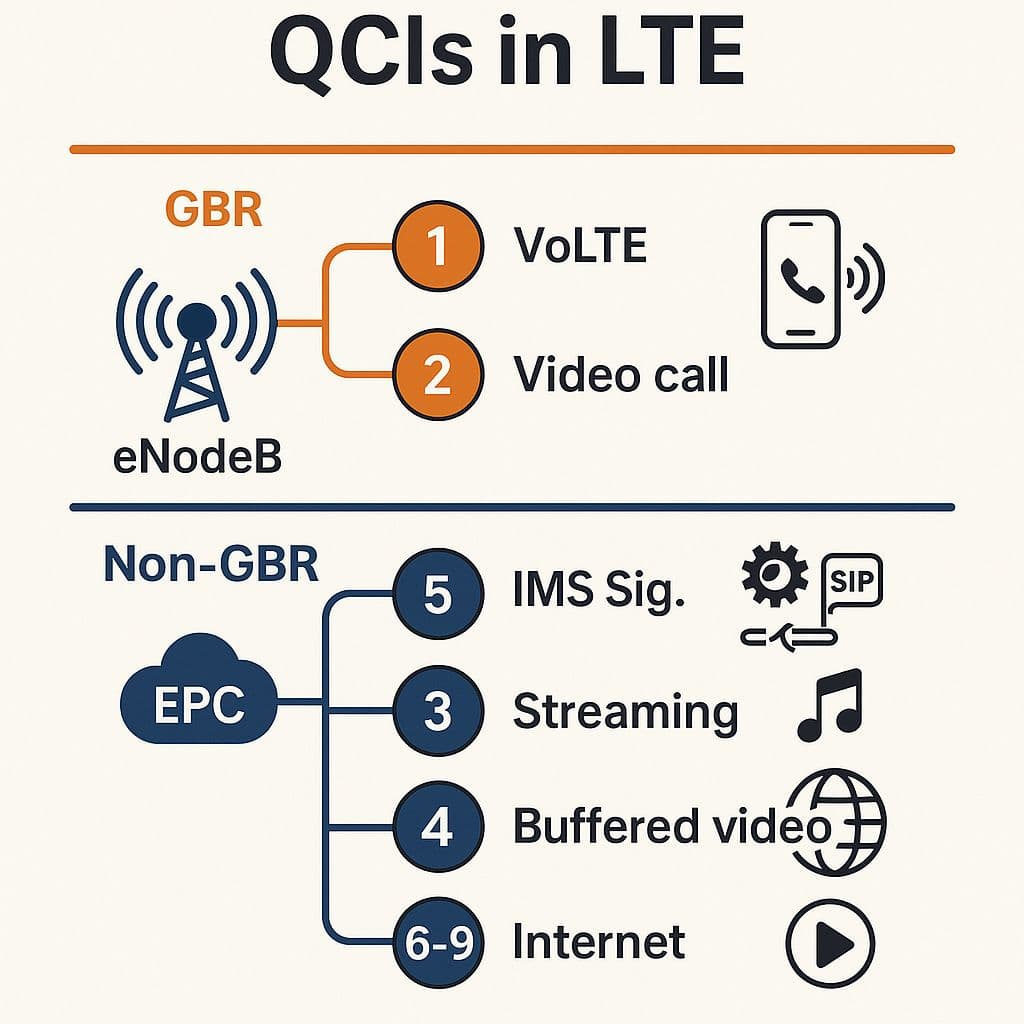
 QCI 1 – VoLTE RTP (Strictest Real-Time)
• GBR
• 100 ms PDB
• Very low PLR
• Immediate scheduler grants
If QCI 1 suffers, voice suffers instantly.
 QCI 2 – Real-Time Interactive (Video Call, Gaming)
Similar to QCI 1 but slightly softer.
Used for:
• Video telephony
• Interactive gaming
• Low-latency apps
 QCI 5 – IMS Signaling
• Non-GBR
• Extremely high priority
• 100 ms PDB
If QCI 5 is delayed → IMS registration, SIP INVITE, and VoLTE setup start failing.
 QCI 6, 7, 8, 9 – Internet/Data Traffic
All Non-GBR
Perfect for:
• Browsing
• Social media
• Background traffic
Most devices default to QCI 9 for general data.
 QCI 4 – Streaming / Buffered Video
• Non-GBR
• Lower priority
YouTube/Netflix can buffer → no strict delay needed.
 QCI 3 – Used by Some Operators for Video/Audio Streaming
More priority than QCI 4
Less strict than QCI 1/2
 QCIs 65, 66, 69 – Dedicated EPC Enhancements
Used for:
• Mission-critical traffic
• Enterprise APNs
• Special slices in early 5G NSA
 Practical Troubleshooting Rule
If QCI 1 has problems → check GBR capacity + scheduler.
If QCI 5 has problems → check signaling, congestion, PGW/MME delays.
If QCI 9 has problems → check eNodeB load + backhaul.
QCIs tell you where to investigate before you even open the trace.
LinkedIn: 