Although CDF is not frequently used, it remains a powerful tool for insights and benchmarking. One known limitation of Power BI is its lack of native support for automated CDF generation, unlike tools such as Tableau. I’m proud to say that the video below is currently the only one on YouTube that demonstrates how to create an automated CDF in Power BI. (You will find few videos but showing how to create CDF through manual steps)
It was great to see one of my videos referenced during a recent Power BI knowledge-sharing session within Ericsson.
If you’re looking to progress from beginner to advanced level, I highly recommend watching the playlist below — it consists of two core videos (around 5.5 hours total), later split into shorter clips to focus on specific topics. While YouTube offers many high-quality Power BI tutorials, my series is tailored specifically to real-world telecom use cases.
Watch Video on YouTube:  https://www.youtube.com/watch?v=1MOkJDFPFI0
Free Power BI Training playlist – Watch on My YouTube Channel: https://www.youtube.com/playlist?list=PLhH4YVQM9NdxhNBR1DpYK5o-G3GBw0ezE
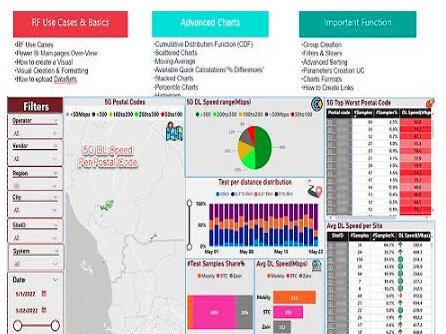
Few comments from my blog and youtube channel about powerbi session:
- One of the most useful videos on youtube … I must say !!
- This is super impressive…You have managed to cover the void of Power BI not having the CDF function.
- Wonderful session Mohamed, Thanks mate.
- JazakALLAH khair bro for such a great tutorials!, they are really a gem… One request to you pls share dataset excel also for this part 2 just like you shared for part1 to practice
- This course is just gold for me, I learned so many things and found the solutions for the things I was struggling with, and now I can go to a whole new level in PowerBI. Allah ydjaziik Sir.
- It is great as usual Adawi.
It is so much informative and even the extra good thing is that you are taking the hands from scratch till putting the legs on the creativity, using the CHATGPT as example.
LinkedIn: 