5G Optimizer PCI Collision Detection Tool (free forever)
5G NR Planning
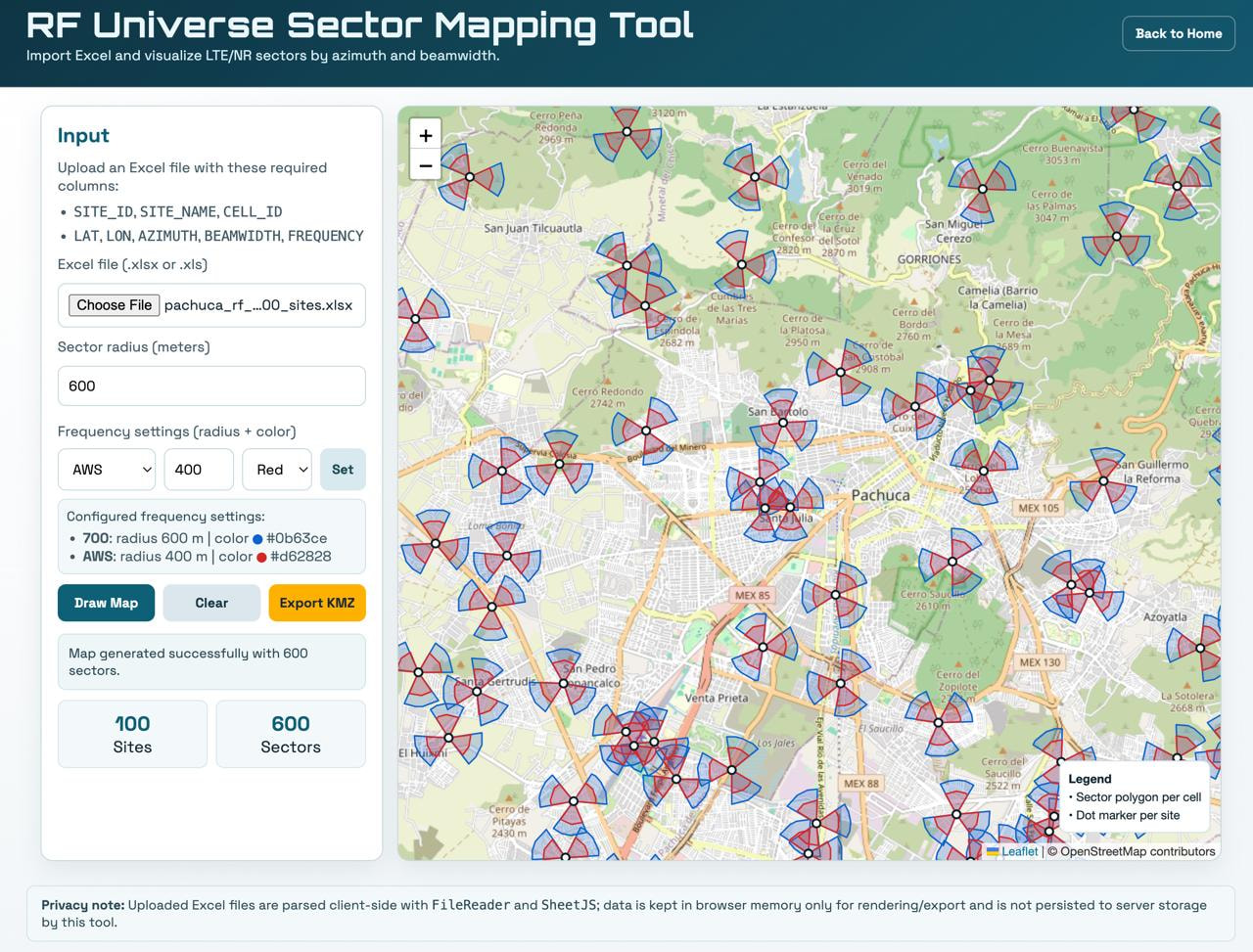
Identify Physical Cell ID conflicts within configurable reuse distance. Import cell data, visualize collisions on the map, and export results.
RF Universe PCI Collision Tool
Detect PCI collisions by reuse distance and inspect closest conflicts first.
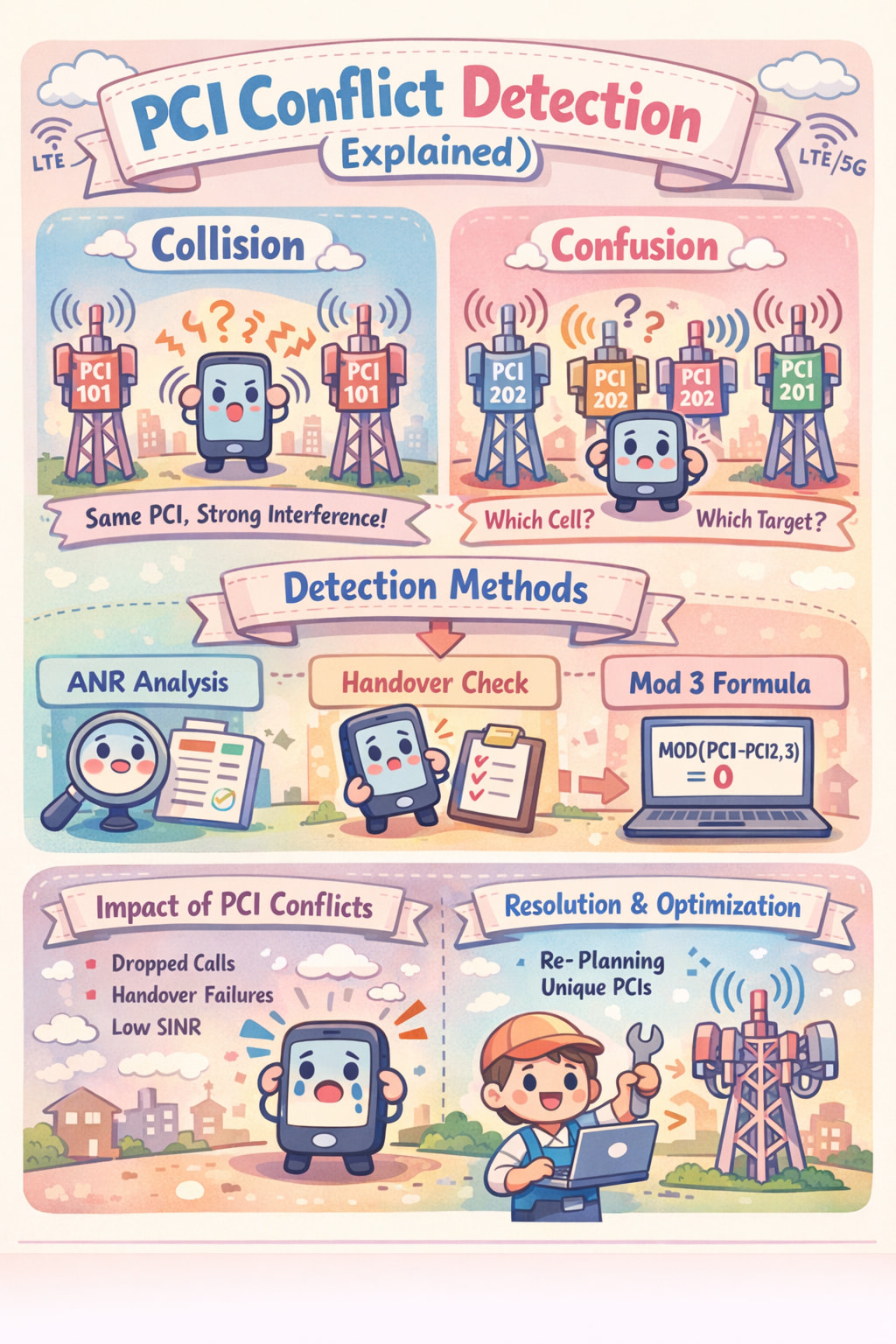
PCI Conflict Detection (Explained)
PCI Collision Detection identifies when neighboring LTE/5G cells mistakenly use the same Physical Cell Identity (PCI) on the same frequency, causing user equipment to experience signal interference, access failures, and dropped calls. This is managed through Automatic Neighbor Relation (ANR) functions and network optimization tools.
Key Aspects of PCI Conflict Detection
PCI Collision vs. Confusion
-
Collision: A serving cell and its neighbor have the same PCI. The mobile device cannot distinguish between the cells, leading to severe interference, especially during handover.
-
Confusion: A serving cell has two neighbors with the same PCI. The network cannot determine which cell is the correct target, resulting in handover failures.
Detection Methods
-
ANR (Automatic Neighbor Relation): Networks use SON (Self-Organizing Network) algorithms to analyze user equipment (UE) reports and detect if a neighbor has a conflicting PCI.
-
Handover Measurements: If a mobile reports a new candidate cell, but its PCI is already used by another neighbor, a collision is flagged.
-
Mathematical/Analytical Detection: In tools like Excel, a MOD(ABS(PCI1-PCI2), 3) formula can be used to detect “Mod 3” conflicts, where collisions occur if the result is 0.
-
Impact on Performance: Unresolved PCI collisions lead to reduced handover success rates, higher handover failure rates, and decreased Signal-to-Interference-plus-Noise Ratio (SINR).
-
Resolution: Once detected by the system (e.g., in Huawei or Ericsson networks), PCI conflicts are resolved by re-planning and re-allocating unique PCIs to the conflicting cells, often using tools that calculate distance and reuse patterns.