Most people learn networking like this:
“TCP is this… UDP is that… DNS is something…”
And then they open a SIEM, see 5000 events, and realize they understand nothing.
Because networking isn’t a vocabulary test.
It’s a story: who asked, who answered, what changed, and what’s now possible.
Here’s the framework:
The Packet’s 5‑Step Journey
- FIND (Name → Address)
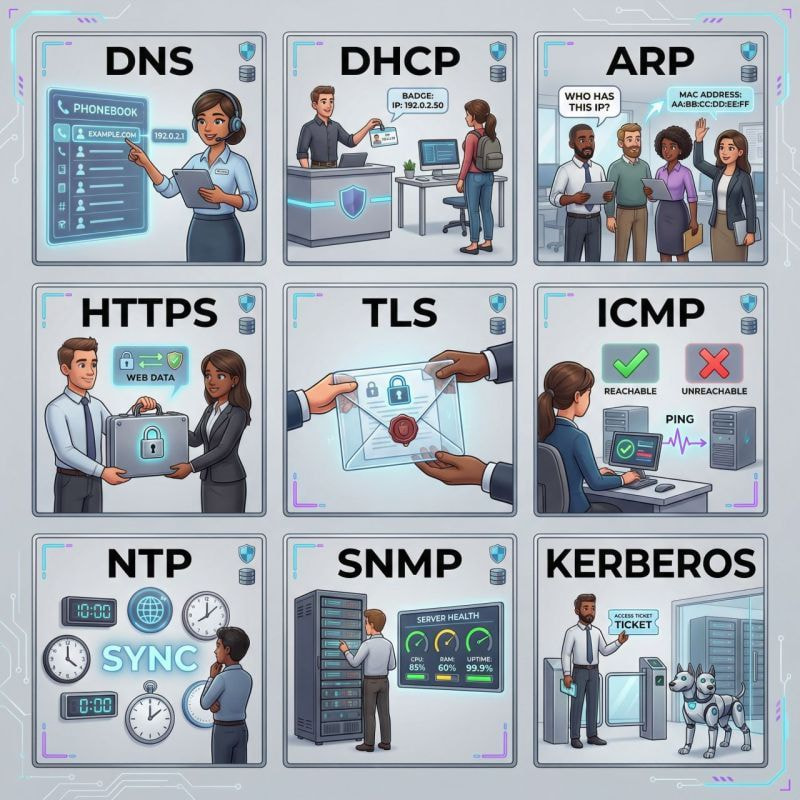
- DNS: the internet’s phonebook (and a common place attackers hide “weirdness”)
- ARP: “who has this IP?” on your local street
- mDNS: devices shouting names on local networks (convenient… and noisy)
- JOIN (Get onto the network)
- DHCP: the receptionist assigning you an IP + default route
- 802.1X: “prove who you are before you join” (access control at the door)
- TALK (Move data)
- TCP: reliable delivery (order + retransmission)
- UDP: fast delivery (no guarantees, just speed)
- ICMP: network “health signals” (pings, errors, unreachable)
- HTTP / HTTPS: the web conversation (requests + responses)
- QUIC: modern web speed (HTTP/3 riding on UDP)
- TRUST (Identity + Encryption)
- TLS: the encryption wrapper (protects confidentiality + integrity)
- SSH: secure remote control (admins love it, attackers love exposed ones)
- VPN (IPsec / SSL): private tunnel over public roads
- Kerberos: “tickets” for trusted access inside Windows environments
- LDAP: directory lookups (who exists, what groups, what access)
- OBSERVE (Monitor + Manage)
- SNMP: “tell me your device health” (monitoring and inventory)
- Syslog: the network’s diary entries (if it’s not logged, it didn’t happen)
- NetFlow: traffic summaries (who talked to who, how much, when)
- NTP: time sync (without this, incident timelines become fiction)
LinkedIn: 