Every time you upload a photo, send a message, stream a video, or open a website, data travels between your phone and an internet application through the 5G network.
The direction of that traffic determines whether it is uplink or downlink.
 Uplink: UE → Network
Uplink begins at the user device.
Examples include:
• Uploading a photo or video
• Sending a message
• Starting a video call
• Sharing sensor or location data
• Transmitting a live camera feed
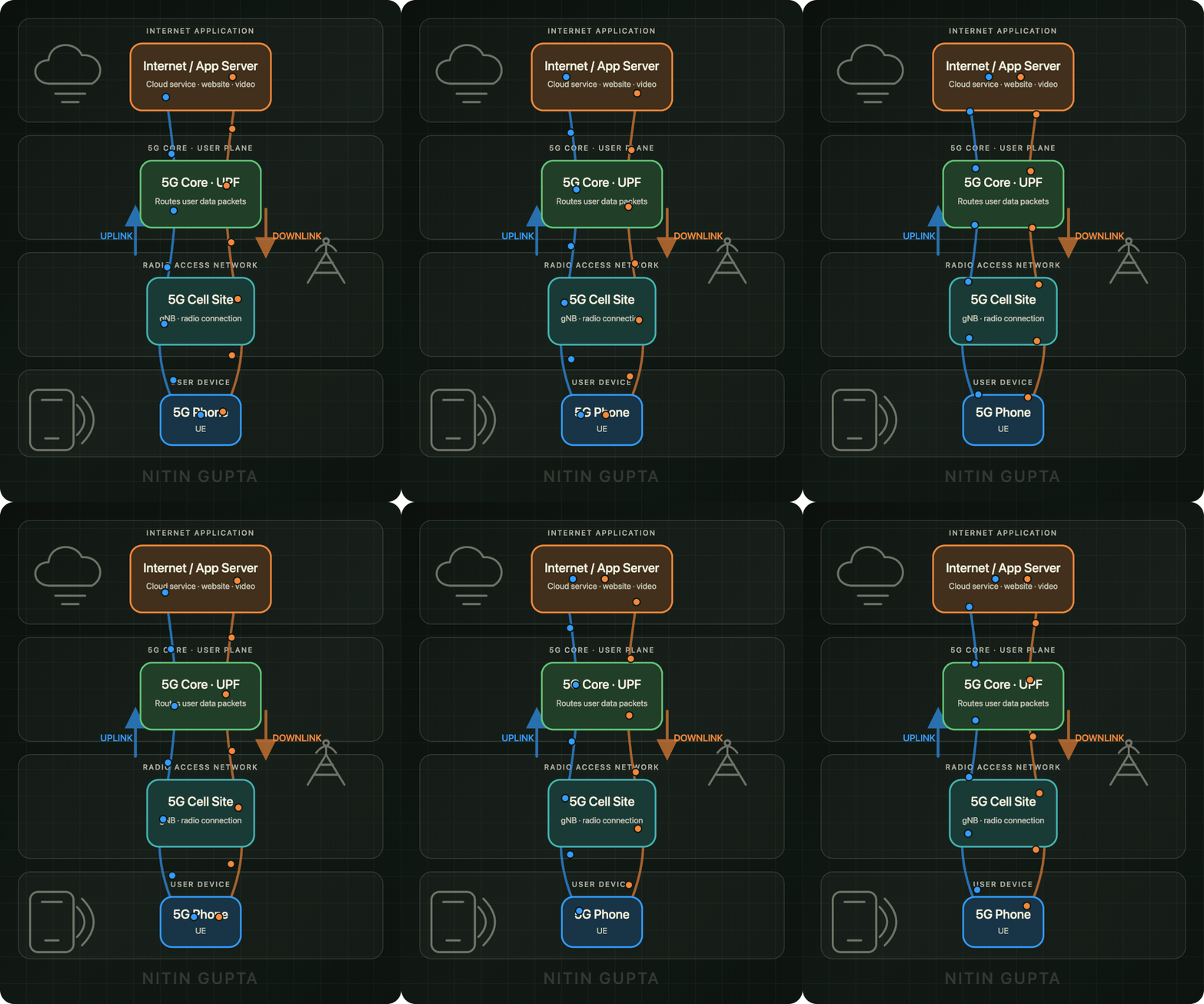
The simplified uplink path is:
 5G Phone →
  gNB →
gNB →  UPF →
UPF →  Internet/Application Server
The gNB receives data over the 5G radio interface and forwards it toward the 5G Core.
The User Plane Function—or UPF—then routes the IP packets toward the appropriate external data network or application server.
 Downlink: Network → UE
Downlink starts in the internet, cloud, or application server and travels back toward the user.
Examples include:
• Streaming a video
• Downloading a file
• Loading a website
• Receiving a message
• Receiving application updates
The simplified downlink path is:
Internet/Application Server → UPF → gNB → 5G Phone
The UPF routes the incoming packets toward the correct user session. The gNB then delivers them to the phone over the radio interface.
Uplink and downlink traffic can occur simultaneously. During a video call, for example, your phone uploads your camera and microphone data while downloading the other participant’s audio and video.
This flow looks simple, but actual performance depends on several factors:
• Radio coverage and signal quality
• Available spectrum and bandwidth
• Cell utilization and congestion
• Scheduling at the gNB
• Transport-network capacity
• UPF placement
• Distance to the application server
• Device capabilities
Understanding uplink and downlink is one of the foundations of mobile-network engineering.
What basic 5G concept should I visualize next?
LinkedIn: 