Hi All,
Recently we are facing an issue to login to Ericsson BSC via winfoil in ENM.
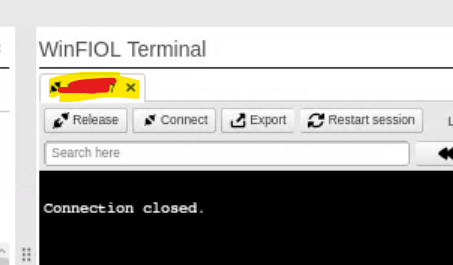
When we try to launch winfoil it shows connection closed. We can see BSC in sycn with ENM and can ping OAM IP of BSC from ENM. Please suggest.
Hi, @Sooraj there may be different reasons. If you are use LDAP to authenticate on BSC, check you user profile roles WinFIOL_Operator, CpRole. Try to connect from ssh terminal, this may be more informative.
ssh <BSCIP> -l <USERNAME>
Also, check alarms on CP/APG (allip;/alist).
Hi @vlr9999 yes, I was able to connect via SSH with admin username and password. I will verify the user roles as well
I verified user profile and winfoil operator is enabled for user.
ssh <BSCIP> -l <USERNAME> -vvv@vlr9999 I did step 1 (diagnostics) and I got output with debugs, may I please know what exactly I need to look for in that?
what exactly I need to look for in that?
@Sooraj, something what looks like reject reason 
@vlr9999 I have actually run the debug on shell terminal. Or should I need to run on winfoil?

yes, shell terminal is good
I believe, it did debug on SSH, but with SSH I could anyway login to BSC, I didn’t find any rejection details associated with winfoil.
Is the issue only with WinFIOL on ENM?
Yes, issue with only winfoil on ENM. With ssh terminal on ENM I could login to BSC.
I can guess it is access rights issue (Roles, Target Groups) or channelfiles configuraqtion.
Look at this file for any errors too:
$HOME/winfiol/winfiol.log
winfoil.log showing the very old logs. No current logs are getting captured. When we connect a BSC,it just shows connection closed.
Check both commands from ssh terminal, are they OK?
wfcli --host <BSCIP>
wfcli --host <BSCIP> --port 52001
It is showing as command not found

Hi @Sooraj !
Check again the User Roles:
Users must be authorized to run WinFIOL CLI by being assigned the WinFIOL_Operator role. The users must also be assigned with a POSIX Role (Scripting_Operator, Amos_Operator, or Element_Manager_Operator).
Can you show which roles are currently available on ENM for your user (screenshot etc.)?
P.S.:
WinFIOL CLI can be launched in two different ways, directly without connecting to any Network Element and by selecting a Network Element, open the context menu and select “Launch WinFIOL CLI”.
When launching without a Network Element the user will see a shell with a custom WinFIOL prompt.
When launching with a Network Element selected a login prompt towards the node will be shown in the shell. Port 22 will always be used for ssh connections.