AI agents are making it easier to build and modify Power BI reports. But which approach should you use?
It depends on how you prefer to work.
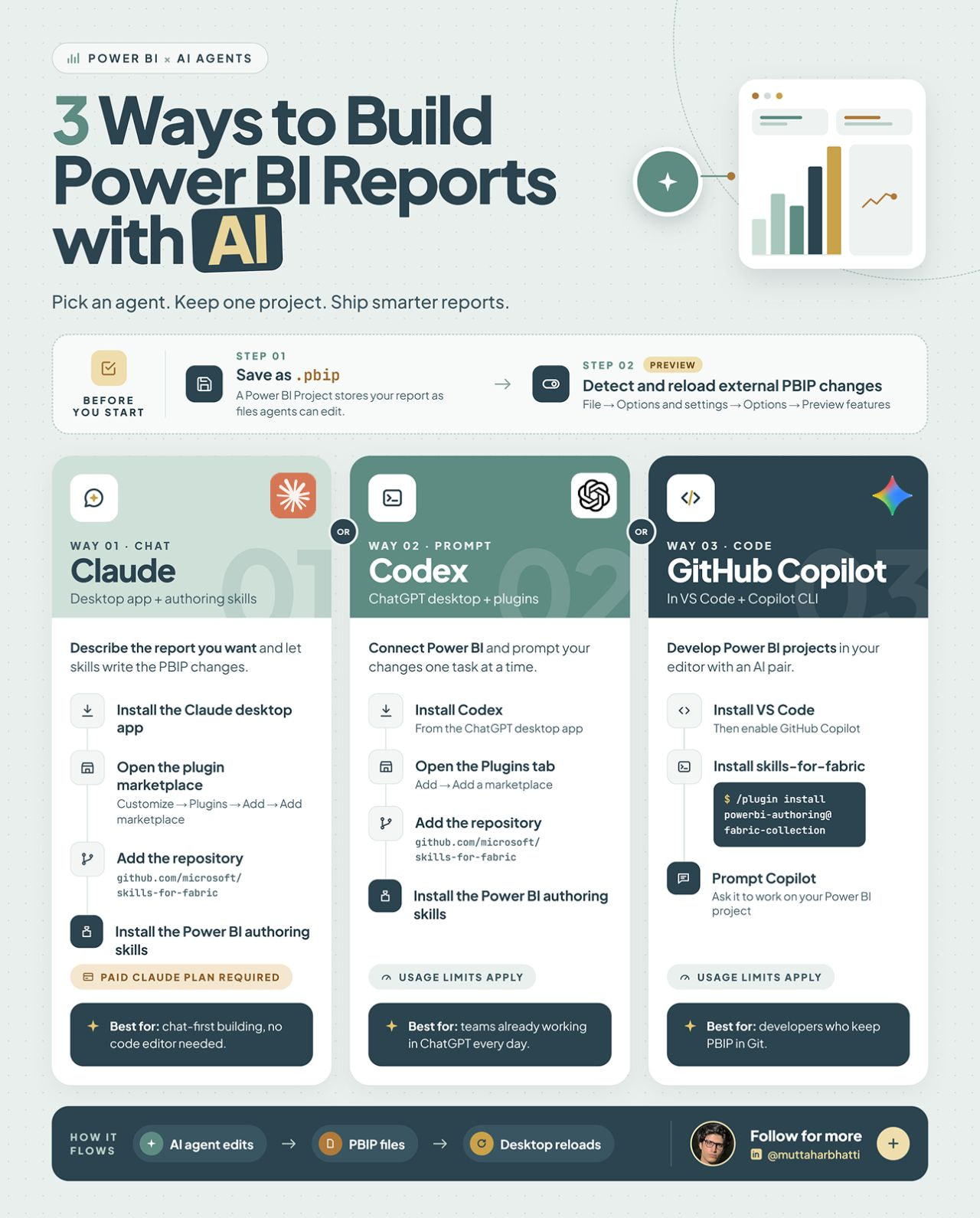
Here are 3 ways to get started 
 1. Claude — Chat-first approach
Describe the report changes you want, and let Claude help make them directly in your Power BI Project (.pbip) files.
Best for: Those who prefer describing what they want rather than editing code manually.
2. OpenAI Codex — Prompt-driven approach
Connect your Power BI project to Codex and give it specific tasks, one at a time.
Best for: People already working with ChatGPT who want to incorporate AI into their development workflow.
3. GitHub Copilot — Code-first approach
Work inside VS Code with AI assistance to develop and modify your Power BI projects.
Best for: Developers who prefer an IDE-based workflow and version control through Git.
Before you start:
 Save your report as a .pbip project.
Enable the relevant preview feature for detecting and reloading external PBIP changes.
Install the Power BI authoring skills for your chosen workflow.
 Usage limits, subscriptions, and setup requirements vary by tool.
My takeaway: You don’t necessarily need to choose one tool for everything. Start with the workflow that fits how you already build Power BI reports, then experiment with AI to automate repetitive tasks and speed up development.
The goal isn’t to let AI build everything blindly. It’s to spend less time on repetitive implementation and more time on data modeling, business logic, and delivering insights that actually matter.
LinkedIn: